Chapter 1: Overview
1.0 Controls and indicators
FootfallCam 3D Pro2™
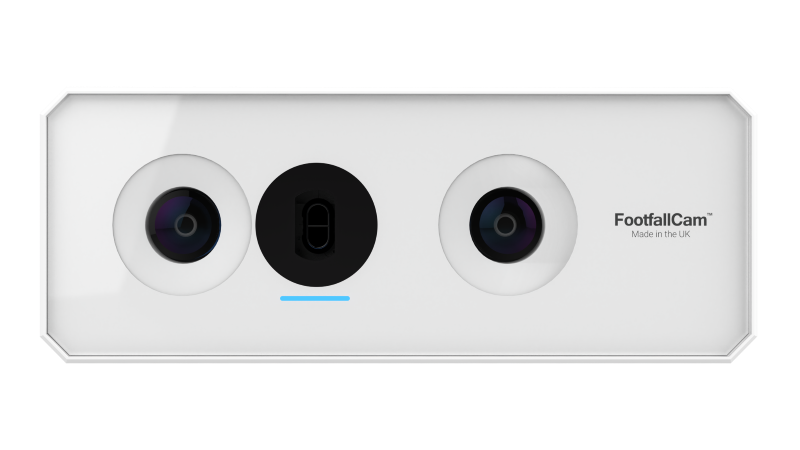
FootfallCam 3D Pro2™ is specially designed to support low ceiling height (as low as 2.1m) counting. Embedded with a powerful 1.2GHz Quadcore processor, it is packed with feature upgrades while maintaining performances of its predecessors. Specifically designed to run complex video processing algorithms, the GPU runs our AI-based algorithms which utilises depth, colour and texture pattern to identify a person, producing superior accuracy compared to using colour pattern alone. The built-in sensor further improves accuracy in low-light, indoor and high-noise environments. Delivered in aluminium casing for heat dissipation, the overall form factor is more compact and inconspicuous than ever.
| Device Specification | Details |
|---|---|
| Dimension | Device dimension: 153.7mm (W) x 58.2mm (D) x 39.5mm (H) Packing dimension: 200mm (W) x 170mm (D) x 50mm (H) |
| Weight | Device weight: 0.4 kg Packing weight: 0.85 kg |
| Camera | Resolutions: 2 x 5MP Illumination: Minimum 1 lux (with external Infrared light source) Lens degree: 160° Output: 5MP Omni-vision 5647 camera module Frame Rate: 25 fps (Live Stream of counting will only display 320x420 resolution to reduce bandwidth; CCTV function displays 1080p resolution) |
| LEDs | RGB LED status indicator for device troubleshooting |
| Casing | Made of Aluminium oxide alloy for water and dust resistance with 1mm tempered glass lens covering. |
| Power | Power over Ethernet: 48~56 VDC (6W) Cabling: Cat5e, Cat6 |
| Thermal Conductivity | 235W / mK |
| Storage | Built-in, 8 GB Storage |
| Ideal Mounting Height | 2.1 metres - 7 metres (Based on product variations) |
| Ideal Environmental | Operating environment: Temperature 10°C to 45°C, Humidity 10% - 90% Storage environment: Temperature -40°C to 80°C, Humidity 10% - 95% |
| Tracking Technology | 3D-Spacing Mapping Video Tracking Technology and background removal on static objects. |
| Firmware Features | Secure Operating System with Multicore Processor, Adaptive IR based on Lighting Conditions, Device Health Check, Built-in External Watchdog |
| Origin | Made in UK. |
Store staff personnel within retail chains or shopping mall personnel will be required to troubleshoot the FootfallCam device to ensure the network connection to the counter has not been lost. FootfallCam uses a single LED lighting from the device to convey the issue the counter is currently facing.
| LED Light | Possible Cause | Actions |
|---|---|---|
| No Light ⚪ | Counter/device is not on | Turn on the device / Plug in tightly the PoE midspan / switch |
| ⚪ | Faulty counter; faulty PoE switch/midspan; faulty cable network | Raise a support ticket to FFC team |
| Red light 🔴 | System error during bootup sequence | Power cycle the device and wait for 5 minutes, then ping the counter's IP address through the PC. If couldn't resolve, raise a support ticket |
| Constant Yellow Light 🟡 | Network cable is crimped incorrectly | Ensure the cable is crimped correctly and is in working condition |
| 🟡 | Loose network cable | Ensure the cable is plugged in tightly into the midspan/PoE switch and the device. Check the physical connections based on the diagram below. |
| Green light 🟢 | Network issue | Ensure that the store's network is up and running. Work with internal IT department to check the IT configuration |
| Constant Blue Light 🔵 | No issue with the device | No action needed |
| Flashing Blue Light 🔵 | Device is not paired | Pair through the FFC portal |
Once the counter LED light has been identified by the store staff, please refer to Section 4.0 for a complete list of causes of issues and resolutions.
----